Find your forgotten wifi password, to which your machine is connected.
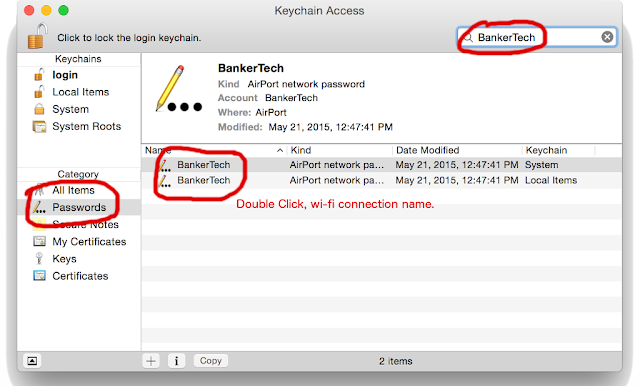
Currently this post is only limited to mac, because I don't have access to any other OS machine. There are two way that can be done Keychain Access Command line Keychain Access Open your keychain access. Spotlight search (Cmd+Space) Search "Keychain Access" In top right corner search your wifi-connection name. I have used "BankerTech" wifi-connection name in example. Searching wifi-connection name in Keychain Access Double click your wifi-connection name. New small window will appear, click show password It may ask for login password. Show password screen, where you will actually see the password in plain text Command line There is a simple command to do the same in terminal Start terminal. Spotlight (Cmd+Space), search Terminal. Type security find-generic-password -ga "BankerTech" or security find-generic-password -ga "BankerTech" | grep password replace "BankerTech" with your wi...